Free plan
Everything in "What it does", for up to 10 blocked sites on the free plan.
No account and no card. When the trial ends, nothing you made is deleted.

Site Blocker
System tool in Winaruz
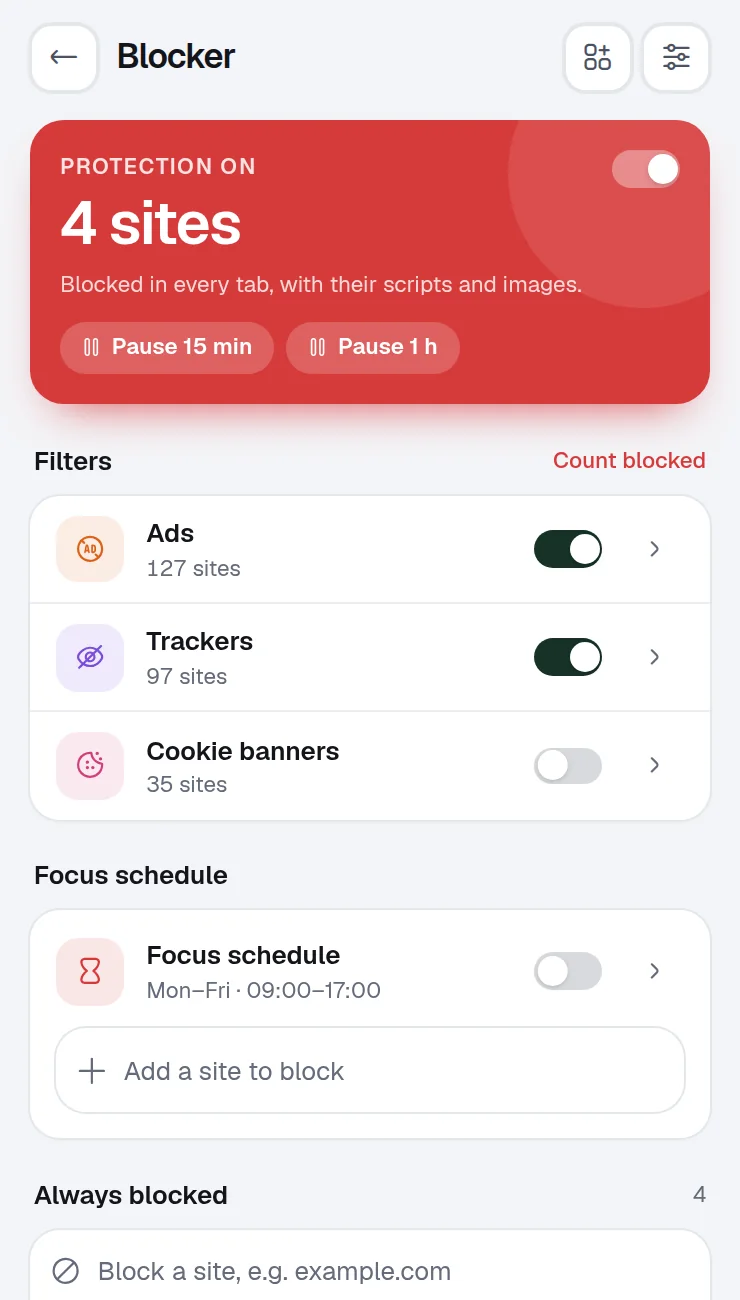
Add the sites you want to stay away from, choose when they are blocked, and turn on lists that stop ads, trackers and cookie banners.
What it does
Block distracting sites on a schedule or during focus, with built-in ad, tracker and cookie banner lists. Pro adds more schedules, an allowlist and blocked words.
Add any site and it stops loading in every tab, with its scripts and images.
Block a second list of sites only on the days and hours you pick.
Turn on built-in lists and see how many requests were stopped today.
Right-click any page and pick Block this site.
Pause blocking for 15 minutes or an hour.
Keep distracting sites closed while a focus session runs.
Home is the grid of widgets Winaruz opens on. Pin these to see Site Blocker without opening the tool.
Whether the blocker is on and how much it blocked today.
Ask AI can add, remove, pause or turn off blocked sites, turn focus mode and the built-in lists on or off, and start strict mode (Pro).
Right-click a page and pick “Block this site”.
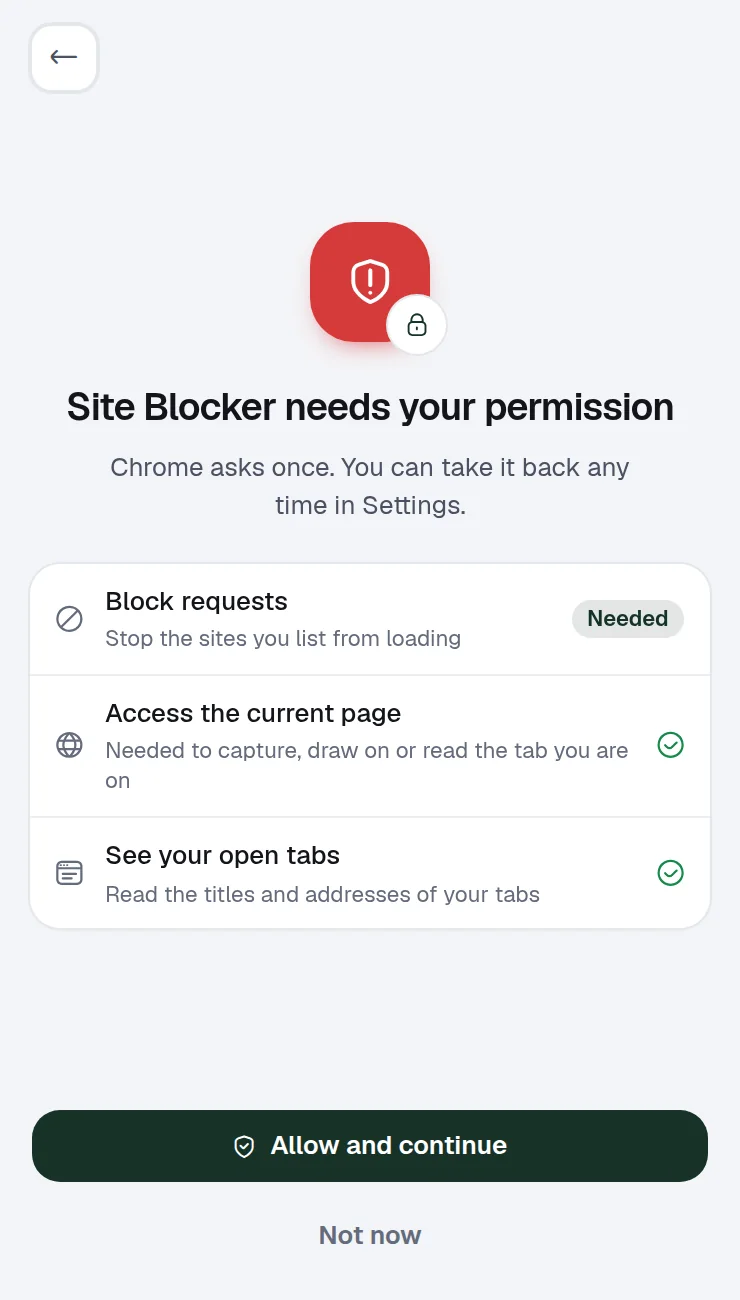
Each one is asked only the first time you open Site Blocker. You can take any of them back in Settings › Permissions.
| Permission | Why Site Blocker needs it |
|---|---|
| Block requests | Stop the sites you list from loading |
| Access the current page | Needed to capture, draw on, fill or read the tab you are on |
| See your open tabs | Read the titles and addresses of your tabs |
Your lists and schedules are saved on this device. Blocking uses Chrome's own request rules, so your browsing is not sent anywhere. No account, no analytics.
Site Blocker works entirely in your browser.
Pricing
Your first 14 days include every Pro option.
Everything in "What it does", for up to 10 blocked sites on the free plan.
No account and no card. When the trial ends, nothing you made is deleted.
Removes the cap, $24 one time, on up to 3 devices.
FAQ
Blocking uses Chrome's own request rules, so Winaruz does not read the pages you visit or send them anywhere.
Yes. Put them in the focus schedule and pick the days and hours.
The free plan keeps 10 blocked sites. Winaruz Pro removes the cap.
Search tabs, close duplicates, and save, export and import sessions. Pro adds a visual tab switcher, auto-saved sessions, a tab limit and grouping rules.
Browse, search and clean up your Chrome bookmarks, remove empty folders and export to HTML. Pro finds broken links.
Clear cache, cookies, history and site data for one site or the whole browser, with presets. Pro adds schedules.
Search, open and clean up your downloads. Pro sorts new ones into folders and adds stats.
Turn your other extensions on and off in one tap and switch profiles like Work or Focus. Pro adds profile schedules and a permission check.
Free to start, no account, and your data stays on your device. Some tools cap how many items you add on the free plan; Winaruz Pro removes the caps for one payment of $24.