Free plan
Everything in "What it does", for up to 10 open tasks on the free plan.
No account and no card. When the trial ends, nothing you made is deleted.

Tasks
Productivity tool in Winaruz
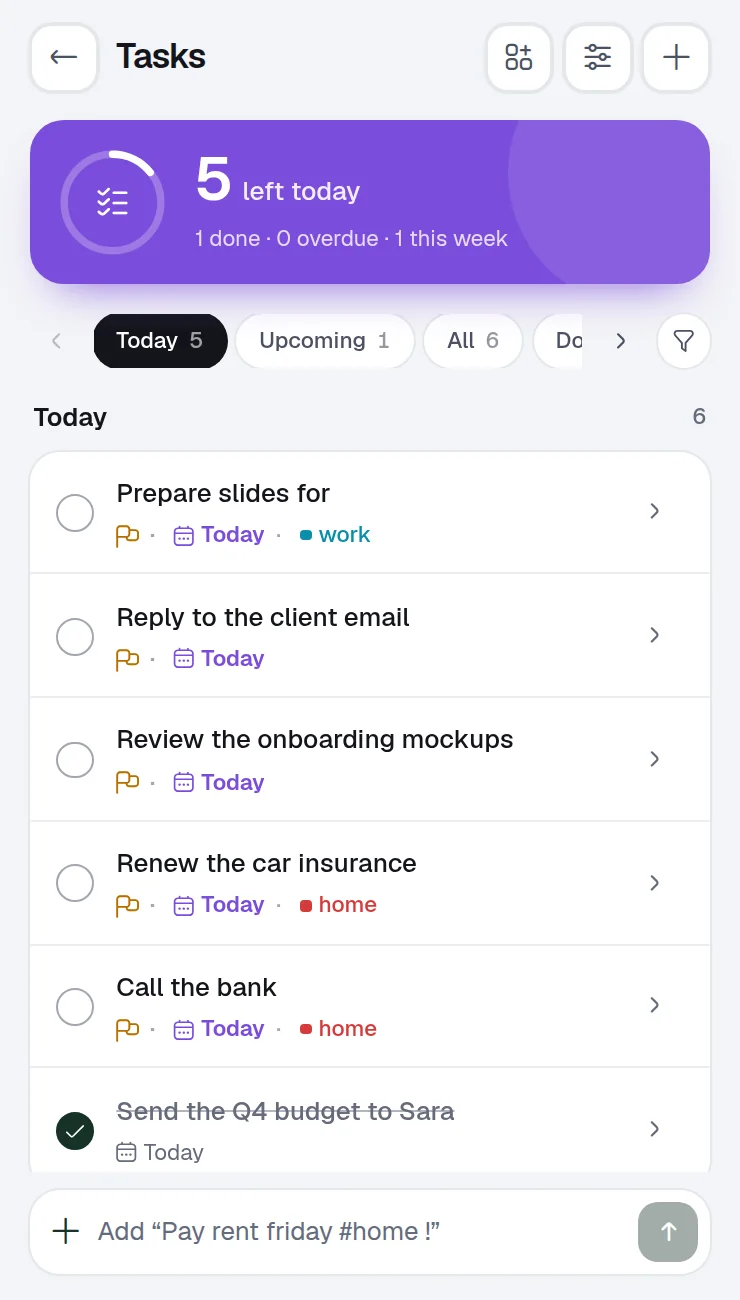
Type a task the way you would say it. Winaruz reads the date, the priority and the list from your words, and keeps everything in your browser.
What it does
Type tasks naturally: due dates, lists and priorities, plus sub-tasks.
Write "Pay rent friday #home !" and the due date, list and priority are filled in for you.
Break a big task into steps and keep notes with it.
A notification on the due day at the time you pick, even when the window is closed.
Repeat a task every few days, weeks or months, until a date or with no end.
Sort tasks into lists, snooze one to later, and get a summary of the day.
The toolbar icon can show how many tasks are overdue.
Home is the grid of widgets Winaruz opens on. Pin these to see Tasks without opening the tool.
Open tasks and the most important ones.
Overdue tasks and what is due in the next 3 days.
Open tasks as a small tile.
Ask AI can add, list, change, complete and delete tasks, and clear the finished ones.
Command search finds your tasks, and can add a new one from the search box.
Reminders ring as a Chrome notification on the due day.
No extra permissions.
Tasks works with what Winaruz has from install. Its notifications use Chrome's notification permission, which Winaruz asks for when you install it.
Your tasks, lists and templates are saved in the browser's extension storage on this device. No account, no analytics.
Tasks works entirely in your browser.
Pricing
Your first 14 days include every Pro option.
Everything in "What it does", for up to 10 open tasks on the free plan.
No account and no card. When the trial ends, nothing you made is deleted.
Removes the cap, $24 one time, on up to 3 devices.
FAQ
No. There is no account and no sign in. Your tasks are saved in your browser.
Yes. Reminders run in the background and show as a Chrome notification on the due day.
The free plan keeps 10 open tasks at a time. Finished tasks don't count, and Winaruz Pro removes the cap.
Yes. Export a backup file from Your data and import it on the other device.
Quick notes with folders, search and pins.
Day timeline, month and agenda views, with repeating events and reminders. Pro adds other calendars by link or .ics file.
Recurring or one-time alarms that ring even when the window is closed.
Focus sessions and breaks, with a notification when each one ends.
Stopwatch with laps and a countdown that notifies you when it ends.
Daily habits with a weekly view, streaks and reminders.
Your go-to sites, one click away, with ready-made site packs.
Save pages to read later, tick them off when done, and find them again in one search. Pro keeps a copy to read offline.
See how long you spend on each site, day by day, and get a nudge when you pass your own limit. Pro adds weekly and monthly reports.
Fill the form on any page in one click with sample data, your own saved values, or AI that reads the page. Your saved values are encrypted on this device.
Free to start, no account, and your data stays on your device. Some tools cap how many items you add on the free plan; Winaruz Pro removes the caps for one payment of $24.