Free plan
Everything in "What it does", with no cap.
No account and no card. When the trial ends, nothing you made is deleted.

Downloads
System tool in Winaruz
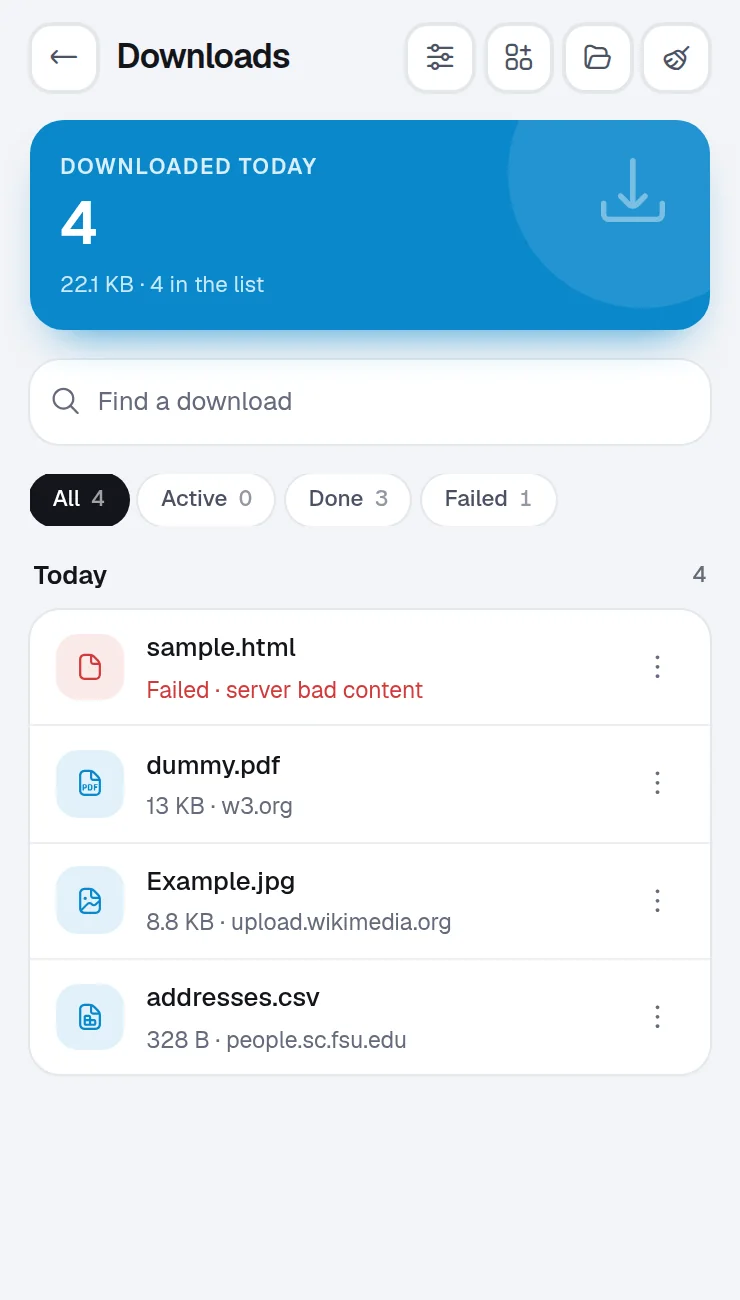
Find the file you downloaded last week, open it or show it in its folder, and retry the ones that failed.
What it does
Search, open and clean up your downloads. Pro sorts new ones into folders and adds stats.
Find a download by name, or filter by kind.
Open a file, or show it in its folder.
Download a failed file again in one tap.
Clear finished downloads from the list. The files stay on your computer.
A notification for each finished file.
Home is the grid of widgets Winaruz opens on. Pin these to see Downloads without opening the tool.
Your last files, one tap to find them.
How many files you downloaded today.
Ask AI can list, open, show, retry and remove downloads, and clear the finished ones.
Command search finds your downloads.
A Chrome notification when a download finishes, if you turn it on.
Each one is asked only the first time you open Downloads. You can take any of them back in Settings › Permissions.
| Permission | Why Downloads needs it |
|---|---|
| Manage downloads | List your downloads and write automatic backups to the Downloads folder |
| downloads.open |
Winaruz works on Chrome's own download list, on this device. No account, no analytics.
Downloads works entirely in your browser.
Pricing
Your first 14 days include every Pro option.
Everything in "What it does", with no cap.
No account and no card. When the trial ends, nothing you made is deleted.
Removes the caps of the other tools, $24 one time, on up to 3 devices.
FAQ
No. Clearing removes entries from the list. Removing one download can also delete its file, only when you choose that.
Yes, with no cap. Winaruz Pro adds sorting into folders and stats.
No. Winaruz reads Chrome's download list on your device.
Search tabs, close duplicates, and save, export and import sessions. Pro adds a visual tab switcher, auto-saved sessions, a tab limit and grouping rules.
Block distracting sites on a schedule or during focus, with built-in ad, tracker and cookie banner lists. Pro adds more schedules, an allowlist and blocked words.
Browse, search and clean up your Chrome bookmarks, remove empty folders and export to HTML. Pro finds broken links.
Clear cache, cookies, history and site data for one site or the whole browser, with presets. Pro adds schedules.
Turn your other extensions on and off in one tap and switch profiles like Work or Focus. Pro adds profile schedules and a permission check.
Free to start, no account, and your data stays on your device. Some tools cap how many items you add on the free plan; Winaruz Pro removes the caps for one payment of $24.