Free plan
Everything in "What it does", for up to 50 colors on the free plan.
No account and no card. When the trial ends, nothing you made is deleted.

Color Picker
Utility tool in Winaruz
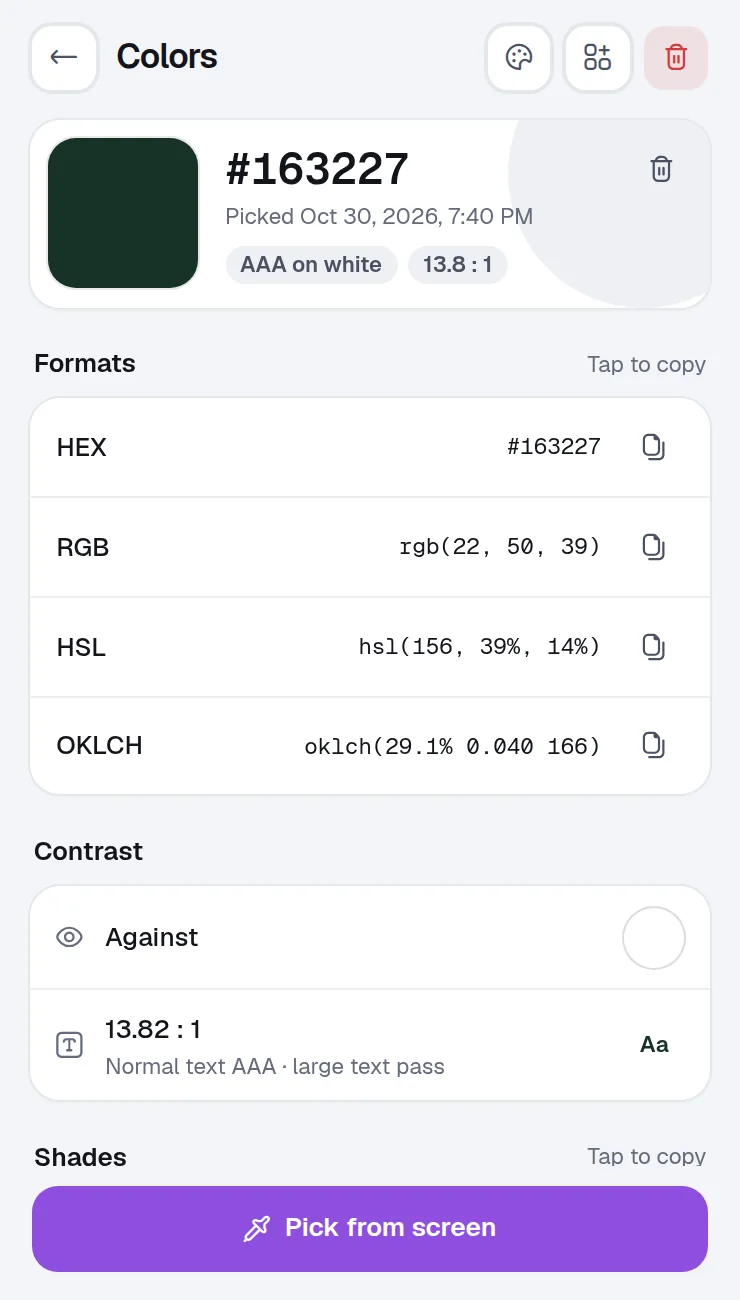
Point at any color on your screen and copy it in the format you need, with its contrast and shades one tap away.
What it does
Pick any color on your screen and copy it as HEX, RGB or HSL. Pro adds palettes.
Pick a color from any pixel on your screen.
Copy the color in the format your code or design tool expects, in one tap.
See the contrast against white or another color, with a pass or fail for text.
Lighter and darker shades of the color, ready to copy.
The colors you picked, saved until you clear them.
Home is the grid of widgets Winaruz opens on. Pin these to see Color Picker without opening the tool.
Tap a swatch to copy its HEX code.
Ask AI can list, save and delete your colors.
No extra permissions.
Color Picker works with what Winaruz has from install.
Your colors are saved in the browser on this device. No account, no analytics.
Color Picker works entirely in your browser.
Pricing
Your first 14 days include every Pro option.
Everything in "What it does", for up to 50 colors on the free plan.
No account and no card. When the trial ends, nothing you made is deleted.
Removes the cap, $24 one time, on up to 3 devices.
FAQ
The free plan keeps 50 colors. Winaruz Pro removes the cap.
HEX, RGB, HSL and OKLCH, one tap each.
It picks any pixel on your screen while Chrome is open, using Chrome's built-in eyedropper (Chrome 95 or newer on desktop).
Record a tab, a window or your screen with audio, microphone, a camera bubble and click highlights.
Draw, highlight, add arrows, boxes and text on any web page, then save it as an image.
Screenshot the visible page, the full page or an area, mark it up, then copy or download it. Pro hides private info for you.
Save moments of YouTube and other videos with a note, then jump back in one click.
Convert length, weight, temperature, data, speed, area, volume and time.
Make styled QR codes with your colors and logo, export them as PNG or SVG, and scan codes shown on a page or in an image.
Free to start, no account, and your data stays on your device. Some tools cap how many items you add on the free plan; Winaruz Pro removes the caps for one payment of $24.