Free plan
Everything in "What it does", with no cap.
No account and no card. When the trial ends, nothing you made is deleted.

Clipboard
Assistance tool in Winaruz
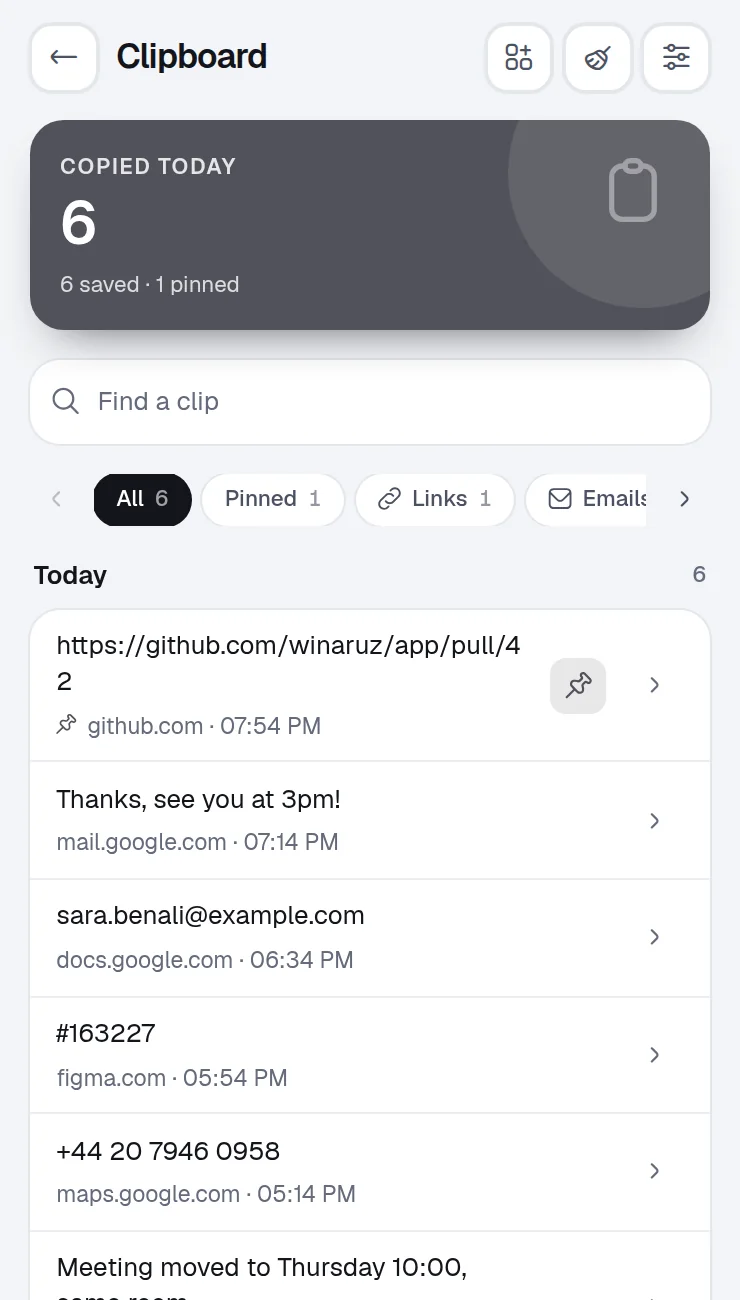
Winaruz keeps the text you copy in Chrome, so the link, the address or the sentence from a minute ago is one search away.
What it does
A history of the text you copy in Chrome, with search and pins. Stays on this device. Pro adds a paste picker in any field.
The text you copy on web pages, kept in a list you can search.
Pin the copies you need again and again so they are always kept.
Tap any clip to copy it, or copy all pinned clips together.
List the sites to skip, like your bank. Password fields are never saved.
Choose how many clips to keep. Pinned ones always stay.
Home is the grid of widgets Winaruz opens on. Pin these to see Clipboard without opening the tool.
What you copied last, one tap to copy it again.
Ask AI can list, copy, pin and delete clips, and clear the history.
Command search finds your clips.
Each one is asked only the first time you open Clipboard. You can take any of them back in Settings › Permissions.
| Permission | Why Clipboard needs it |
|---|---|
| Work inside a page | Run this tool on the tab you choose |
| Access the current page | Needed to capture, draw on, fill or read the tab you are on |
| Read the clipboard | Keep what you copied, from any tab or app, when you open Winaruz |
Your history is kept in the browser's local database on this device, which web pages cannot read, and it is left out of backups. No account, no analytics.
Clipboard works entirely in your browser.
Pricing
Your first 14 days include every Pro option.
Everything in "What it does", with no cap.
No account and no card. When the trial ends, nothing you made is deleted.
Removes the caps of the other tools, $24 one time, on up to 3 devices.
FAQ
In the browser's local database on your device. Web pages cannot read it and it is never sent to us.
Password fields are never saved, and passwords copied from the Password Manager are cleared from the clipboard.
Yes, with no cap. Winaruz Pro adds the paste picker, auto-delete and text changes.
Chat with Chrome's on-device AI for free. Pro lets you bring your own key for Claude, GPT and Gemini, which can also open tabs and add tasks and notes for you.
Translate text offline with Chrome's built-in translator. Pro adds whole pages and online translation with DeepL, Google or your AI key.
Logins encrypted with a master password (AES-256), stored only on this device. Pro adds two-step codes and autofill on websites.
Strong random passwords, generated locally.
Save the texts you type again and again, copy them in one tap or type a shortcut in any field.
Free to start, no account, and your data stays on your device. Some tools cap how many items you add on the free plan; Winaruz Pro removes the caps for one payment of $24.